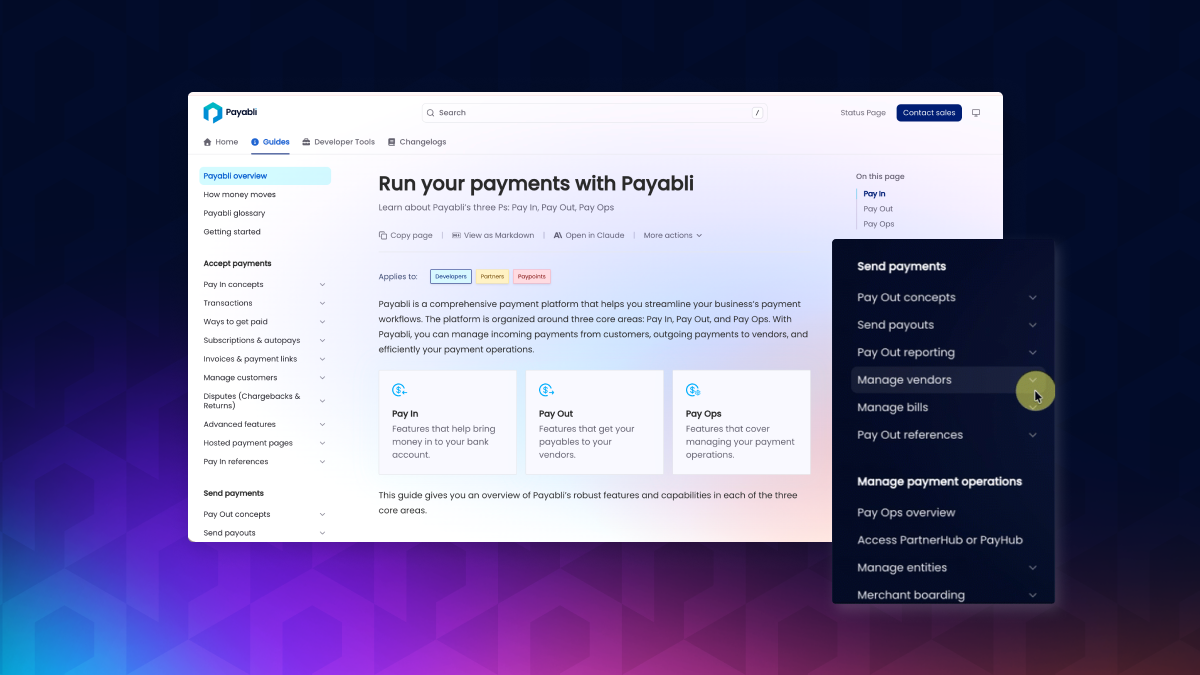
Stop Searching, Start Building: Payabli’s Enhanced Documentation Architecture

Written by: Casey Smith, Docs @ Payabli

Finding the right doc shouldn’t feel like a scavenger hunt. That’s why we launched some big changes to how Payabli’s docs are organized. We completely reimagined the navigation and content organization to make it easier for our readers to find what they need and get on with their day.

Here’s what’s changing, why it matters, and what’s coming next.

What’s changed

Navigation that matches how you actually work

Before: Four separate sections (Home, Learning, Developers, Product docs) that forced you to guess where content lived. API guides in one place, UI guides somewhere else, concepts scattered across a “Learning” section you probably didn’t know we had.

Now: Three clean tabs organized by what you’re trying to do:

Changelogs: Version history and updates

Guides: Concepts, procedures, and troubleshooting for everyone

Developer Tools: API reference, SDKs, and testing resources
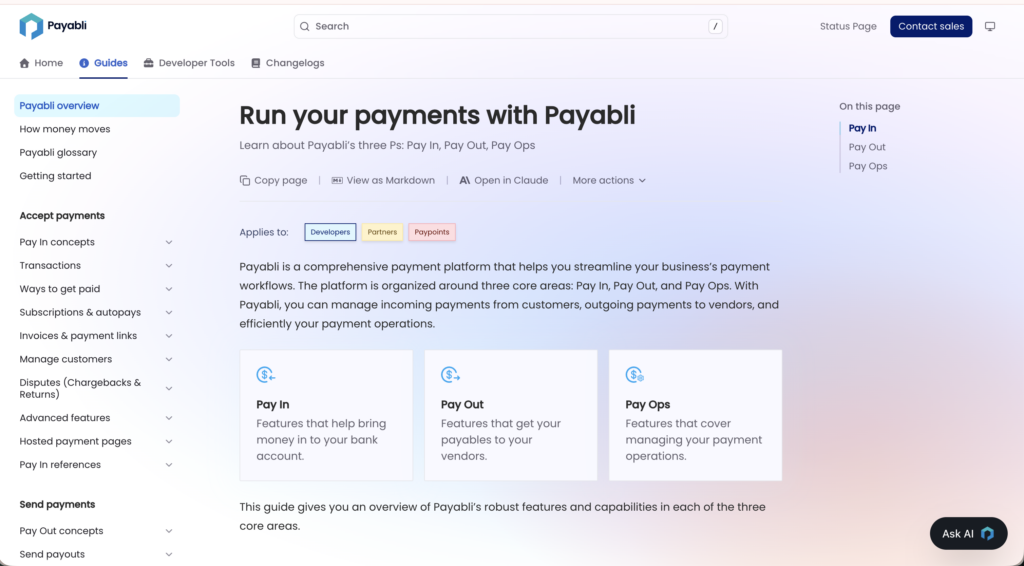
No more hunting across multiple sections. No more “is this in Developer docs or UI docs, or is it Learning?”

Shallower navigation, less hunting

We flattened the navigation hierarchy. Some things that took 5-6 clicks now take 2-3. Others went from 5 to 3. But the real difference is you’re not jumping all over the screen anymore.

For example, getting to the V2 Transaction Endpoints used to look like this:

Product tab (top nav) → Developers → API Reference → 

scroll down → Pay In Endpoints → V2 Transaction Endpoints

Now it’s:
Developer Tools → Pay In Endpoints → V2 Transaction Endpoints

Three clicks instead of five, and they’re all in the same navigation area. Less clicking, less hunting, less confusion.

Old way:

Animated GIF

New way:

Animated GIF

Reference materials where you need them

Some of the biggest complaints we heard were “I can’t find the test cards” and “where are the error codes?”

So, we moved all reference materials (like our test cards, API schemas, error codes, status definitions) out of a separate “References” section and put them next to the guides where you’d actually need them.

You can find all references for a product area at the end of the section navigation. They have names like “Pay In references” so you can find them fast.

Animated GIF

One source of truth

We eliminated over 20 duplicate pages.

Before, searching for “boarding overview” returned a few similar-looking guides (one for API, one for UI, one in “Learning”). You’d have to guess which one was the one you needed, or you’d have to click through all of them.

Now, we strive for one authoritative overview page per topic. When you search, you’ll know you found the right answer. We still have separate docs for UI and API tasks, clearly labeled so you know exactly what you’ve found.

URLs that tell you what you’re getting

Page URLs are more descriptive now. Instead of vague slugs, you’ll see exactly what a page covers before you click:

  • /pay-in-ach-cycle-overview (not just /ach-process)
  • /pay-ops-boarding-field-explorer (not just /boarding-fields)

If you’re bookmarking pages or sharing links with your team, this makes everything more predictable.

Better starting points

Each major section now has a comprehensive overview page that explains what’s possible, links to relevant content, and helps you get oriented quickly. No more landing on a page and wondering “okay, now what?”

What didn’t change

Developer Tools stayed put. All the SDKs, API references, and testing resources are still in one place under the Developer Tools tab. If you know exactly which endpoint or SDK you need, you can go straight there (with fewer clicks).

Search works the same way. The search bar is still in the same spot and searches the same content. We didn’t change how search works, the changes just make the results more useful with less duplicated content.

Why we restructured it

Our old structure was organized around our product divisions (Pay In, Pay Out, Pay Ops) and audience (developers vs non-technical users). That made sense internally, but it didn’t match how you actually think about your work. You don’t think “I need to do a Pay In operation.” You think “I need to process a payment” or “I need to refund a customer.”

We’re also scaling fast. Payabli is building a lot of cool stuff this year, and we needed an information architecture that could keep up, one where new content has an obvious home and gaps are easy to spot and fix.

So we reorganized the entire navigation and information architecture around tasks and user intent instead of product categories. The result is documentation that works the way you work.

What’s coming in 2026

The Payabli Docs team has some big plans for 2026! Here’s a sneak peek of what this reorganization made room for.

Recipes and cookbooks

We’re going to be creating practical recipes and cookbooks for workflows throughout the year. Keep an eye out for easy-to-read recipes for workflows like:

  • Handling failed payments with retry logic
  • Setting up a new vendor and paying them with a virtual card
  • Implementing split funding across paypoints

You can think of these as the simple “just show me how to do it” guides for when you want to move fast.

Then, when we’ve got recipes published, we’ll start combining them into opinionated cookbooks to help guide you through implementing and using Payabli.

Filling the gaps faster

The new structure makes it obvious where we’re missing content. That means we can fill those gaps faster instead of discovering them six months later when someone asks “wait, is this documented?”

What you need to know

Your bookmarks still work. We implemented permanent redirects so all old URLs will continue to work.

We’re listening. If you have suggestions, let us know. We’re monitoring how you use the docs and making adjustments based on what we learn.

The numbers

We touched 837 files and removed over 51,000 lines of redundant content to make this happen.

Whether you’re integrating our API for the first time, learning to run a transaction in the Payabli Portal, or looking up a specific endpoint, you should be able to find what you need in fewer clicks with less confusion.

The new docs are live at docs.payabli.com. Try searching for something you use regularly—test cards, boarding fields, refunds—and see the difference. Questions or feedback? Email us at docs@payabli.com

Reach out today to see how we can help.